
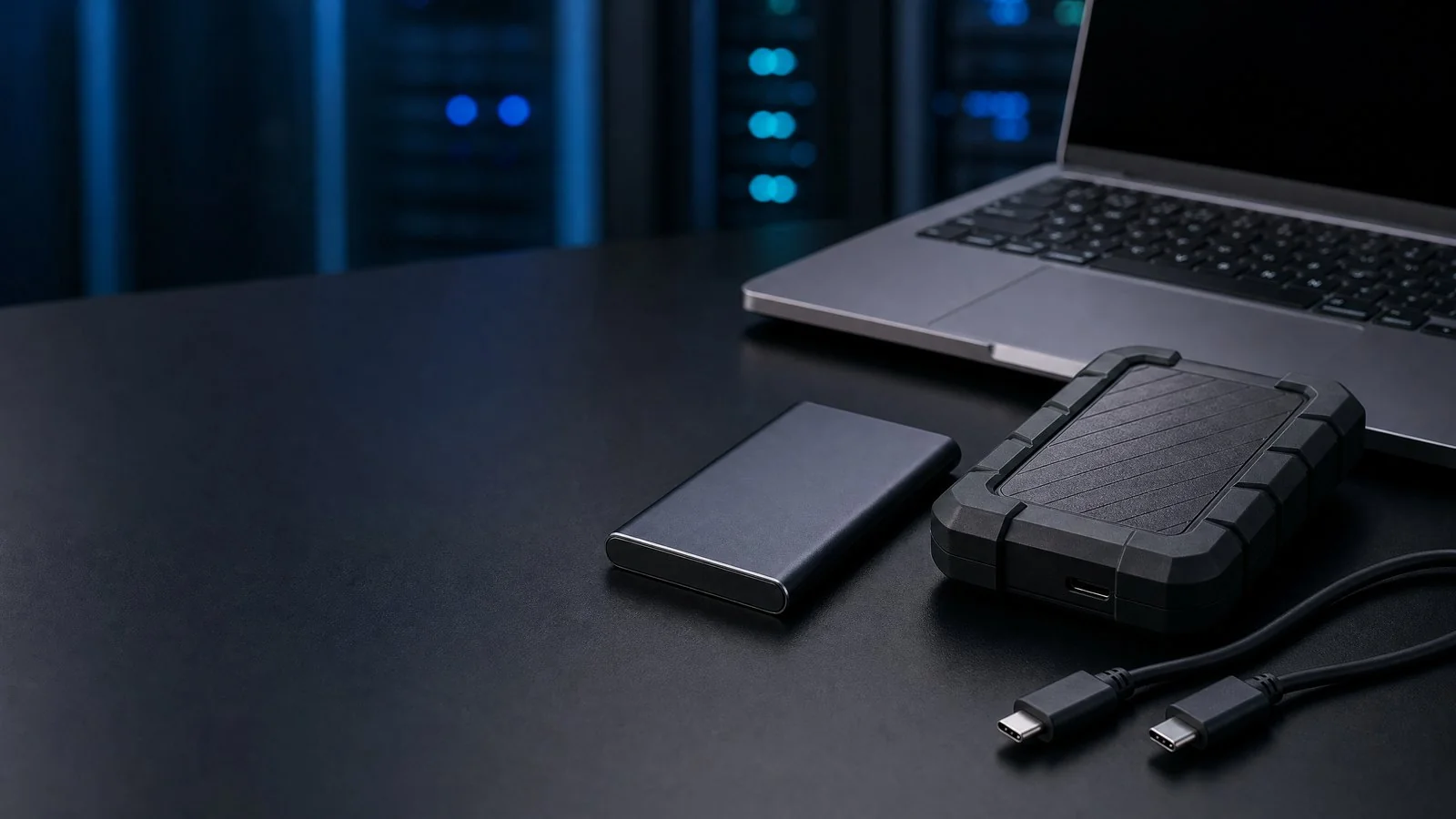
The Portable Storage Market in 2026: SSDs Take the Lead
The portable SSD vs external HDD debate has reached a decisive turning point in 2026, with solid-state drives now dominating new product launches across the global storage market. According to IDC Worldwide Quarterly Solid State Storage Tracker, SSD shipments surpassed HDD shipments in revenue for the first time in 2024, and the gap has widened every quarter since. The portable storage market specifically, defined as external drives sold to consumers and business professionals, is projected to reach 38 billion US dollars in 2026, with SSDs capturing 62 percent of unit share. NAND flash storage costs have declined 18 percent year over year, bringing 1TB portable SSD retail prices below 70 dollars and eroding the traditional price-per-gigabyte advantage of mechanical hard drives.
Meanwhile, the external hard drive market is not disappearing but shifting toward high-capacity archival roles. HDD manufacturers including Seagate, Western Digital, and Toshiba have pivoted production toward 4TB and larger form factors, where spinning disk technology still holds a 3-to-1 cost advantage over SSD. For B2B buyers sourcing portable storage from a storage device manufacturer China, understanding where SSD and HDD technologies excel, and how to evaluate quality and compliance when importing, is essential for building a product portfolio that meets diverse customer demands at competitive margins. This guide provides the technical analysis and sourcing intelligence to make that determination.
Understanding Portable SSD Technology
Portable SSDs store data using NAND flash memory, a non-volatile technology that retains information without power and has no moving parts. The four NAND flash types, ranked by endurance and cost, are SLC (single-level cell), MLC (multi-level cell), TLC (triple-level cell), and QLC (quad-level cell). SLC stores one bit per cell and offers the highest endurance at approximately 100,000 program-erase cycles, but its cost makes it impractical for consumer portable storage. MLC stores two bits per cell with 3,000 to 10,000 cycles, used in enterprise-grade drives. TLC stores three bits per cell with 1,000 to 3,000 cycles and is the mainstream choice for portable SSDs in 2026, balancing cost and longevity. QLC stores four bits per cell with 100 to 1,000 cycles, enabling high capacities at the lowest cost but with significantly reduced write endurance.
Interface technology determines the real-world transfer speed of a portable SSD. SATA-based SSDs are limited to approximately 550 MB/s by the SATA III protocol. NVMe SSDs communicate via the PCIe bus and achieve 1,500 to 7,400 MB/s internally, but external portable SSDs are constrained by the host interface. USB 3.2 Gen 2 delivers 10 Gbps, enabling practical transfer speeds of 900 to 1,050 MB/s. Thunderbolt 4 and USB4 push the external interface to 40 Gbps, supporting speeds up to 2,800 MB/s. According to the USB-IF specification roadmap, USB4 Version 2.0 raises the ceiling to 80 Gbps, and the first portable SSDs supporting this interface are expected in late 2026.
The controller chip is the brain of the SSD, managing data placement, error correction, wear leveling, and garbage collection. Leading controller manufacturers include Phison, Silicon Motion (SMI), Realtek, and Innogrit. The controller implements bad block management, which identifies and retires flash blocks that can no longer reliably store data, and wear leveling, which distributes writes evenly across all cells to prevent premature failure of frequently used blocks. Endurance is measured in TBW (Terabytes Written), representing the total amount of data that can be written before the drive exceeds its warranty specification. A typical 1TB TLC portable SSD is rated at 600 TBW, meaning you could write 330 GB per day every day for five years before reaching the endurance limit.
Understanding External HDD Technology
External HDDs store data on magnetic platters that spin at high speed while a read-write head floats nanometers above the surface to access data tracks. The two physical sizes dominate the portable storage market. 2.5-inch drives, spinning at 5,400 or 7,200 RPM, are the standard for portable external hard drives because their compact form factor fits in a pocket and can be powered entirely through the USB cable. 3.5-inch drives offer higher capacities, up to 20TB and beyond, but require an external power adapter and are classified as desktop drives rather than truly portable. For the portable SSD vs external HDD comparison, the 2.5-inch form factor is the relevant category.
Rotational speed directly affects sequential read and write performance. A 5,400 RPM 2.5-inch drive typically achieves 100 to 130 MB/s, while a 7,200 RPM variant reaches 130 to 160 MB/s. The cache buffer size, ranging from 8MB on entry-level drives to 256MB on performance models, temporarily stores frequently accessed data and improves burst transfer rates. However, no amount of cache can overcome the fundamental latency penalty of mechanical seek time, which averages 5 to 12 milliseconds compared to 0.1 milliseconds for an SSD. This 50-to-100x latency gap makes HDDs unsuitable for running applications or operating systems, though they remain adequate for sequential file transfers and media playback.
Recording technology is a critical but often overlooked specification. CMR (Conventional Magnetic Recording) writes each track independently, delivering consistent performance and reliability. SMR (Shingled Magnetic Recording) overlaps tracks partially, increasing areal density and capacity by 25 percent but severely degrading write performance during random write operations, sometimes dropping to 10 MB/s or less. SMR drives are acceptable for archival read-mostly workloads but problematic for active use. Reputable storage device manufacturers disclose whether a drive uses CMR or SMR, but some budget suppliers obscure this information. Always request the technical datasheet and confirm the recording method before committing to an SSD wholesale or HDD sourcing order.
Head-to-Head Comparison: 8 Key Metrics
Speed is the most dramatic differentiator in the portable storage comparison. A portable SSD connected via USB 3.2 Gen 2 achieves 500 to 1,050 MB/s sequential read and write speeds, while a 2.5-inch external HDD manages 100 to 150 MB/s. For transferring a 50GB 4K video file, an SSD completes the task in approximately 55 seconds, compared to 6 minutes on an HDD. Random read and write performance shows an even wider gap: SSDs deliver 50,000 to 90,000 IOPS (input/output operations per second), while HDDs struggle to exceed 100 IOPS. This makes SSDs approximately 500 times faster for the small random file accesses that define operating system and application performance.
Durability strongly favors SSDs because they contain no moving parts. A portable SSD can survive a 2-meter drop onto concrete with no data loss, while an HDD head crash from the same height typically destroys the drive and all stored data. SSDs operate silently at 0 decibels, while HDDs produce 20 to 30 decibels of mechanical noise and generate noticeable vibration. Power consumption is another SSD advantage: a portable SSD draws 2 to 4 watts during active operation, while a 2.5-inch HDD consumes 5 to 8 watts, meaning SSDs run cooler and extend laptop battery life during transfers. Capacity favors HDDs, with portable 2.5-inch HDDs available up to 5TB and desktop 3.5-inch models reaching 20TB, compared to portable SSDs which top out at 8TB due to NAND cost constraints.
Price per gigabyte remains the one metric where HDDs retain an advantage, though the gap is narrowing rapidly. In 2026, a 1TB portable SSD retails at approximately 0.07 dollars per GB, while a 1TB external HDD costs 0.025 dollars per GB, a 2.8x premium for SSD. However, at 4TB and above, the SSD premium widens to 4x or more, which is why HDDs continue to dominate high-capacity archival storage. Lifespan comparisons are nuanced: HDDs typically last 3 to 5 years under normal use before mechanical failure, with an annualized failure rate of 1 to 2 percent according to Backblaze drive statistics. SSDs can theoretically last 5 to 10 years, but their endurance is finite and data retention degrades if the drive is stored unpowered for extended periods, with TLC NAND losing data integrity after approximately 12 months at 30 degrees Celsius without power.
Use Case Analysis: When to Choose SSD vs HDD
Content creators and video editors should choose portable SSDs without exception. Editing 4K or 8K footage requires sustained read speeds above 400 MB/s and low random access latency for scrubbing the timeline, both of which HDDs cannot deliver. A 1TB portable SSD allows a video editor to carry a working library of footage and edit directly from the external drive on any computer, with transfer speeds that do not bottleneck the editing workflow. Business professionals who frequently transfer large presentation files, databases, or design assets benefit similarly from SSD speed and the physical durability that survives daily commutes and business travel.
Gamers represent a growing portable storage segment. While game installations belong on internal NVMe SSDs for optimal load times, a portable SSD serves as an excellent game library expansion drive, allowing users to carry 2 to 4TB of installed games between PCs or consoles with load times only marginally slower than internal storage. HDDs are unsuitable for modern gaming because open-world titles stream assets continuously, and the 5 to 12ms seek time of a mechanical drive causes stuttering and texture pop-in. For backup and archival use, the decision depends on access frequency. Cold storage of completed projects, family photos, and system images that are rarely accessed can use HDD cost-effectively. Active backups that need frequent verification or incremental updates perform far better on SSD.
Field workers, journalists, and outdoor professionals should choose ruggedized portable SSDs because the shock resistance of solid-state storage is essential in environments where drops, vibrations, and temperature extremes are common. A portable SSD rated for operating temperatures from 0 to 70 degrees Celsius and shock resistance of 1,500G will survive conditions that would destroy an HDD. For budget-constrained buyers who need maximum capacity per dollar and do not require speed or ruggedness, an external HDD remains a viable choice. A 4TB external HDD at 100 dollars provides four times the storage of a comparably priced 1TB SSD, making it the pragmatic choice for archival mass storage where transfer speed is not a daily concern.
Sourcing Portable Storage from China: OEM Guide
China has emerged as a global hub for portable storage assembly, offering B2B buyers competitive pricing and flexible OEM and ODM manufacturing. The NAND flash chips that form the core of any SSD are sourced from major manufacturers including Samsung, Kioxia, SK Hynix, Micron, and YMTC, while controller chips come from Phison, Silicon Motion, Realtek, and Innogrit. A storage device manufacturer China typically imports these critical components and handles PCB design, SMT assembly, enclosure manufacturing, firmware flashing, and final testing in-house. This semi-integrated model allows Chinese factories to offer SSD wholesale prices 20 to 35 percent below Western-brand equivalents while maintaining quality when proper sourcing protocols are followed.
The assembly process begins with SMT line placement of the controller and NAND packages onto the PCB, followed by firmware flashing with the controller manufacturer reference firmware or a customized variant. Quality control must include bad block management verification, which tests the drive ability to detect and remap defective flash blocks, and wear leveling tests that confirm the controller distributes writes evenly across all NAND cells. Full-capacity testing writes and verifies data across 100 percent of the stated capacity to detect short-stroked drives that report more storage than the actual NAND provides. Certifications required for cross-border sale include CE for the EU, FCC for the US, RoHS for hazardous substance compliance, and USB-IF certification for interoperability with USB standards.
MOQ and pricing tiers vary between SSD and HDD sourcing, product configuration and branding requirements. For a HousePlus inquiry, request the applicable product options, component information, test documentation, compliance records and quotation terms for the exact model and destination before purchase.
Conclusion: The Future Belongs to SSD
The portable SSD vs external HDD comparison yields a clear verdict for most use cases in 2026: solid-state drives deliver superior speed, durability, power efficiency, and form factor advantages that justify the modest price premium for capacities up to 2TB. External HDDs retain a legitimate role in high-capacity archival storage above 4TB, where the cost-per-gigabyte advantage of mechanical technology remains compelling. For B2B buyers building a portable storage product portfolio, the strategic approach is to lead with SSD products for performance-oriented customers and supplement with HDD options for budget and archival segments, ensuring coverage across the full market spectrum.
For a HousePlus portable-storage inquiry, share the required capacity, interface, destination market and branding requirements. Our team can discuss available models, samples, relevant documentation and quotation terms after reviewing the proposed order. Contact Jack at jack@houseplus-ch.com or +86-155-7811-9543 (WhatsApp: +8615578119543) to begin the review.
Request a Wholesale Quote from HousePlus
Contact our team to discuss product requirements, OEM/ODM capabilities, applicable documentation and quotation terms.
Contact HousePlus